Settings in the Language Files
Preliminary note
For translating the arc weld report items there are translation files for each provided language (English, French, Chinese, Japanese, German).
By default the language files are located in the E2 installation path …\Lib\site-packages\cenpylib\languages.

In case of customization, the complete languages folder can be copied to a desired path, which is given with the Create command. Otherwise the report takes the default files.

Customer related settings and translation can be done there. Only the desired language file needs to be edited.
Following listed settings are supported to adjust the report. If the items doesn’t exist, the defaults form the script will be taken.
Default report name
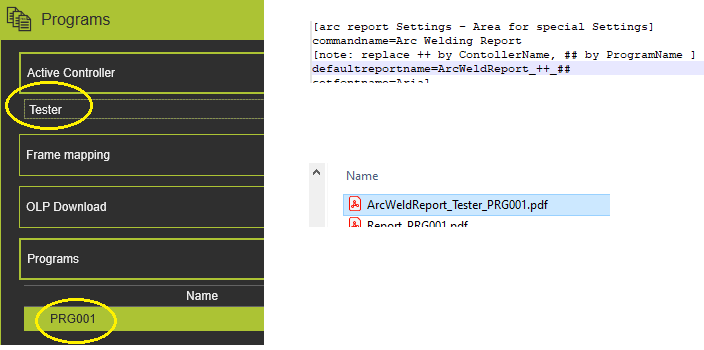
defaultreportnameThis item is the default PDF file name, where :
- double plus ++ (if given) will be replaced with the current controller name.
- double hashes ## (if given) will be replaced with the current program name.
Font
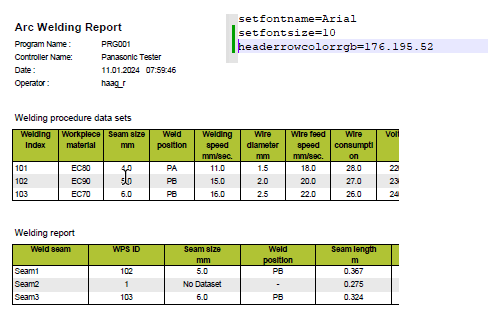
setfontnameThis item sets the desired font type.
Please note : for Chinese and Japanese language only one set of characters exists. This setting is obsolete in this case.
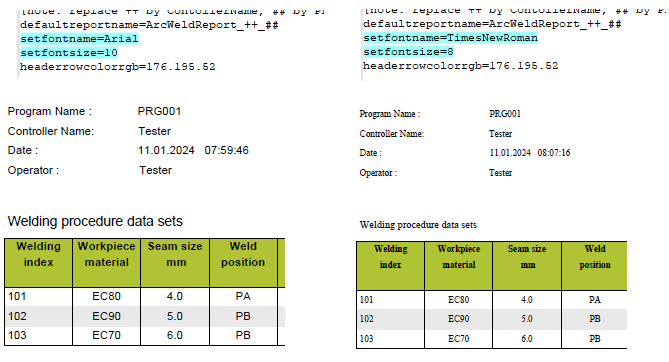
setfontsizeThis item sets the desired font size.
The font size will be taken into account for Chinese and Japanese as well.
Command name
commandnameThis item sets the desired command name in the Run auxiliary commands if the method GetCommandName is prepared accordingly (see below).
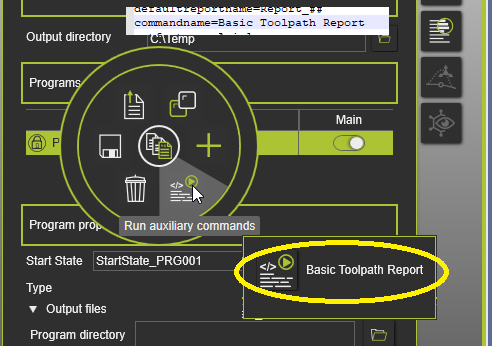
Example:
def GetCommandName():
   nls = NLSUtility()
   nls.defineNLS(project="arcreport")
   cmdname = nls.getNLS("commandname", "Arc Welding Report")
   return cmdname
NLS is set to the report language files. It tries to get the item commandname. When the item does´t exist, apply the string “Arc Welding Report” as result.
Table
headerrowcolorrgbThis item sets the desired background colour of the table header row.
The item values are the RGB portions (0..255) separated by a point; i.e. xxx.yyy.zzz.
The default value is grey, RGB 176.176.176
Column widthFor each column its width can be specified by setting the value in the *.lng file.
Naming convention is: [columnName]colwidth
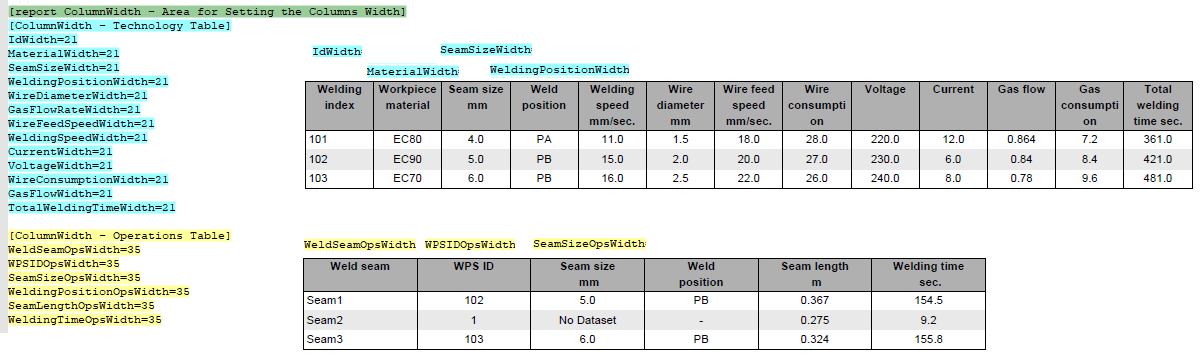
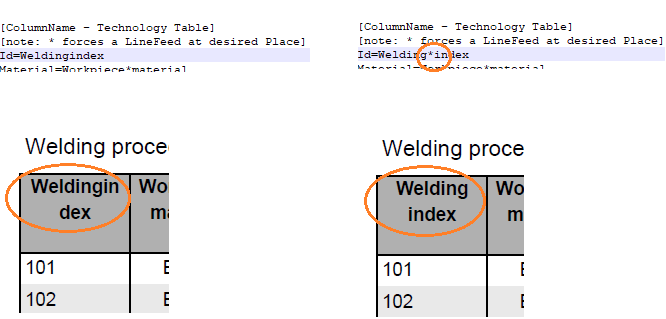
To get a desirable Naming of the columns, an Asteriks * can be put at the desired position, where the Linebreak should be performed. Various numbers allowed.