Show Customer Logos and modify Translation
Copy a desired Language File, e.g. report.de.lng to the PlugIn Folder
Open the Language File.
Add or modify Item nologouse with Value False (shown in the previous Topic)
Modify the desired Report Translation Items.
Note : only the Items that should be modified needs to be in the copied Language File.
Add the desired Customer Logos into the desired PlugIn Images Folder
Determine the desired Language (must fit to the copied File) with setLanguage
Set the Logo Names to the Python Script with setHeaderLogo and/or setFooterLogo
Set the PlugIn Folder in the Python Script to pass to the Command
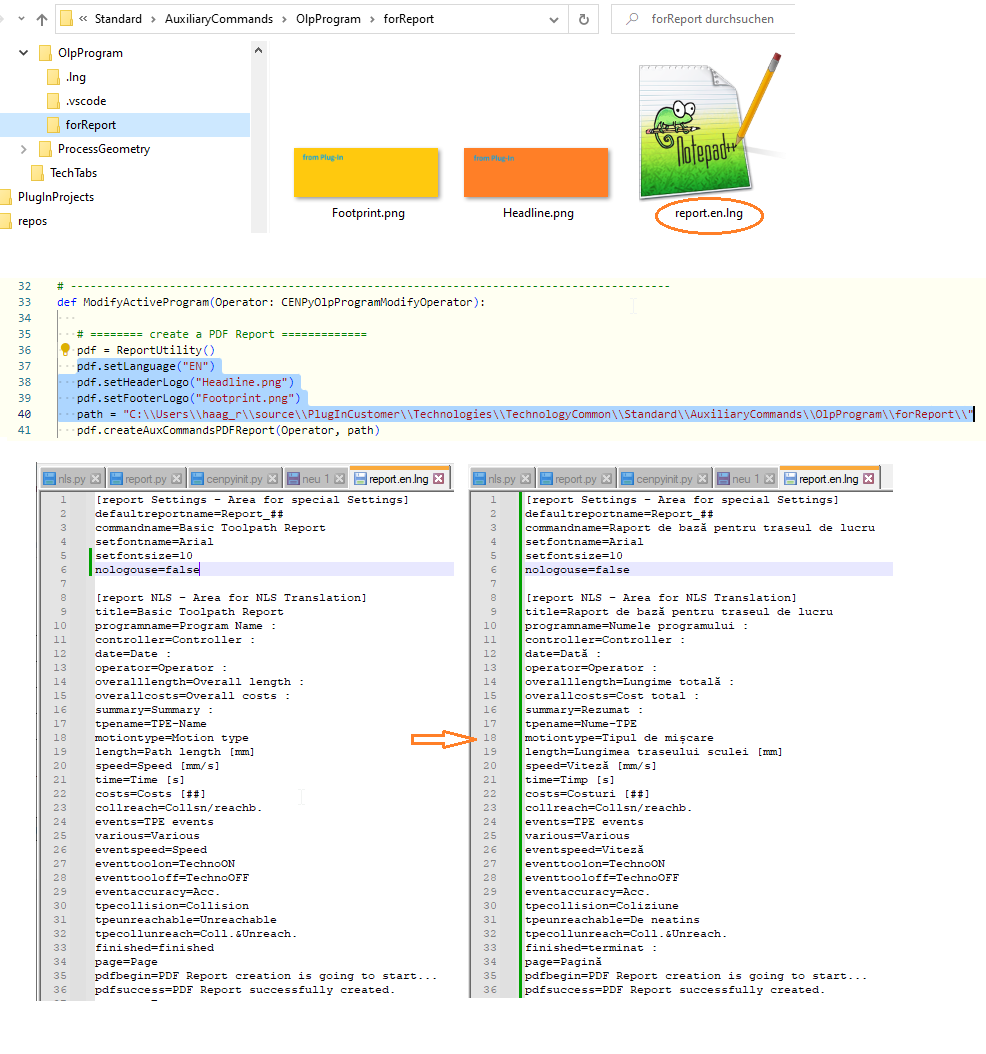
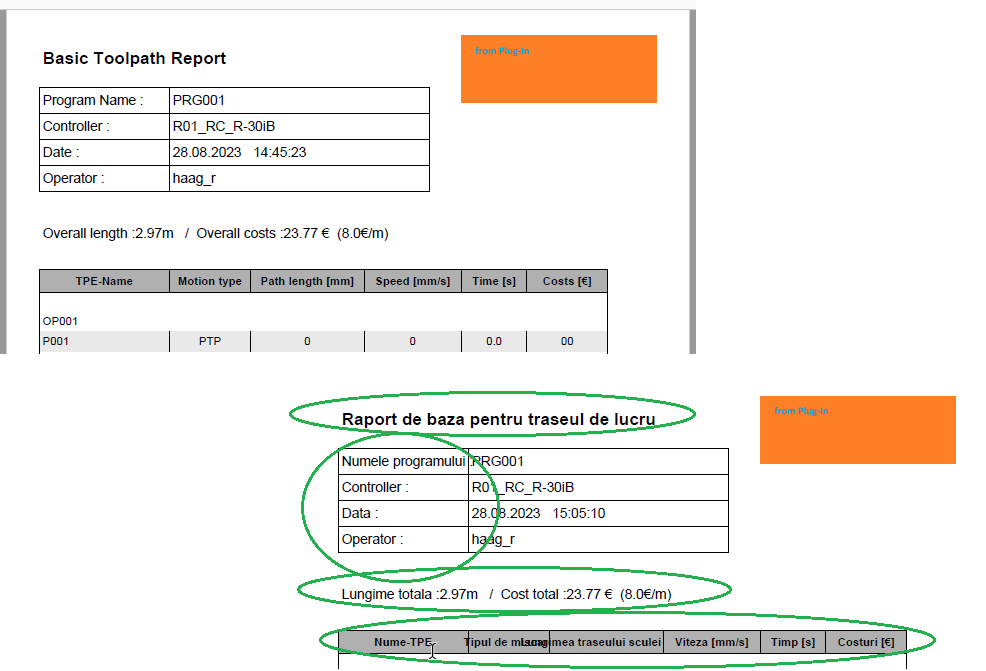
The Example shows the enabled Logos and using the english Translation File modified to romanian Language.
Was this page helpful?