Enabling Customer Logos (E2 Folder)
Enable Customer related Logos
Open the related Language File (customized or automatically determined), e.g. report.de.lng
Add or modify Item nologouse with Value False
Add the desired Customer Logos into the E2 Images Folder
Set the Logo Names to the Python Script with setHeaderLogo and/or setFooterLogo
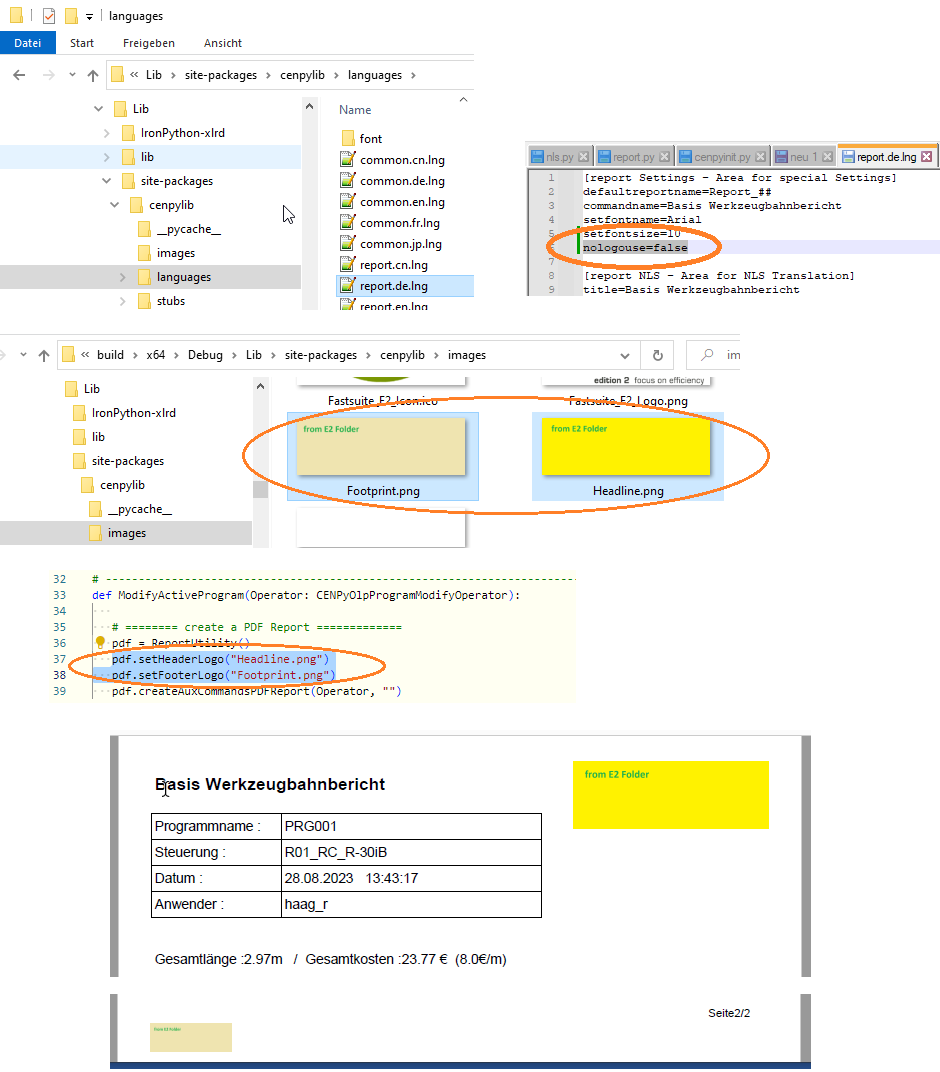
Re-create the Report.
Was this page helpful?